Features
PG and hostel management, on your PC and your phone
From the first enquiry to the final deposit refund: beds, rent, the mess, paperwork and reports, on your PC, with apps for your warden and your tenants.
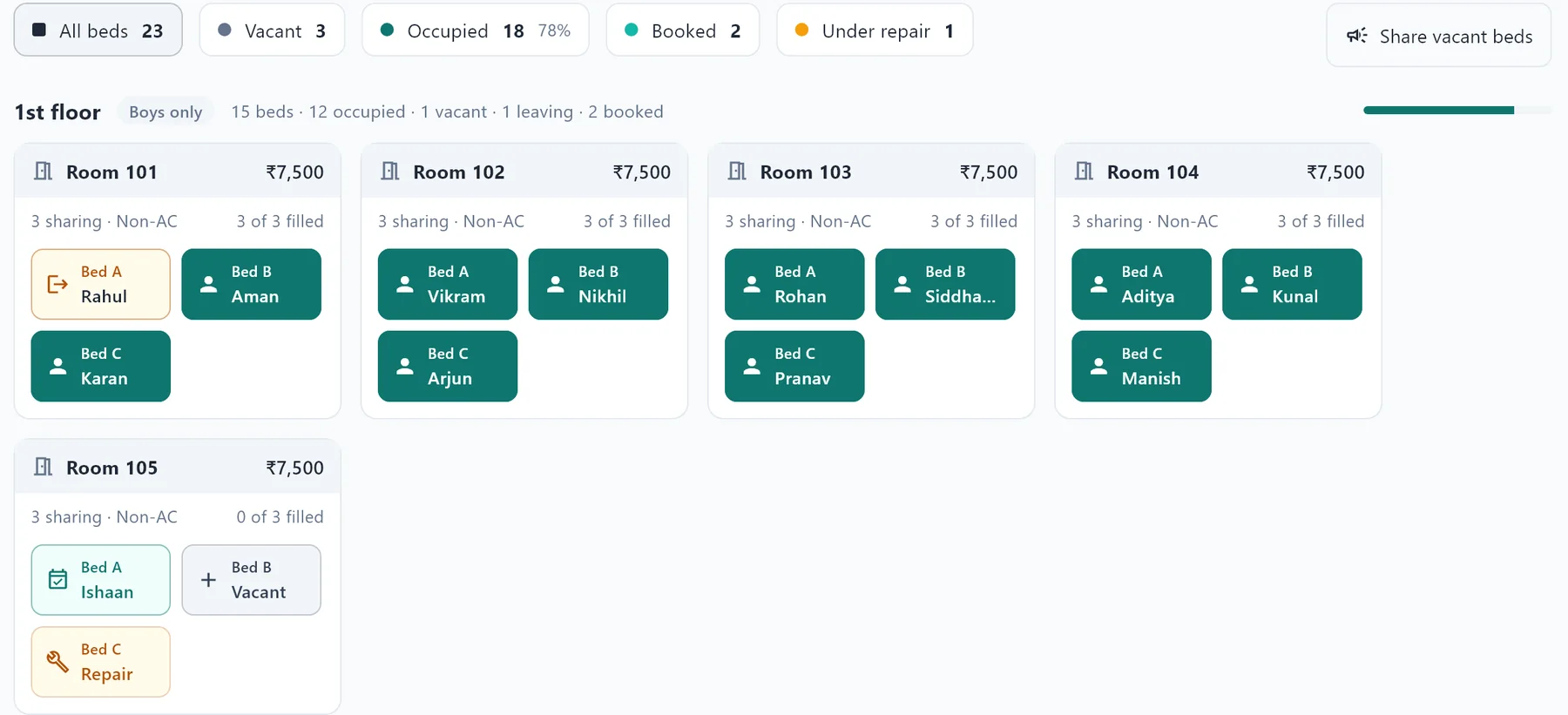
See every bed at a glance
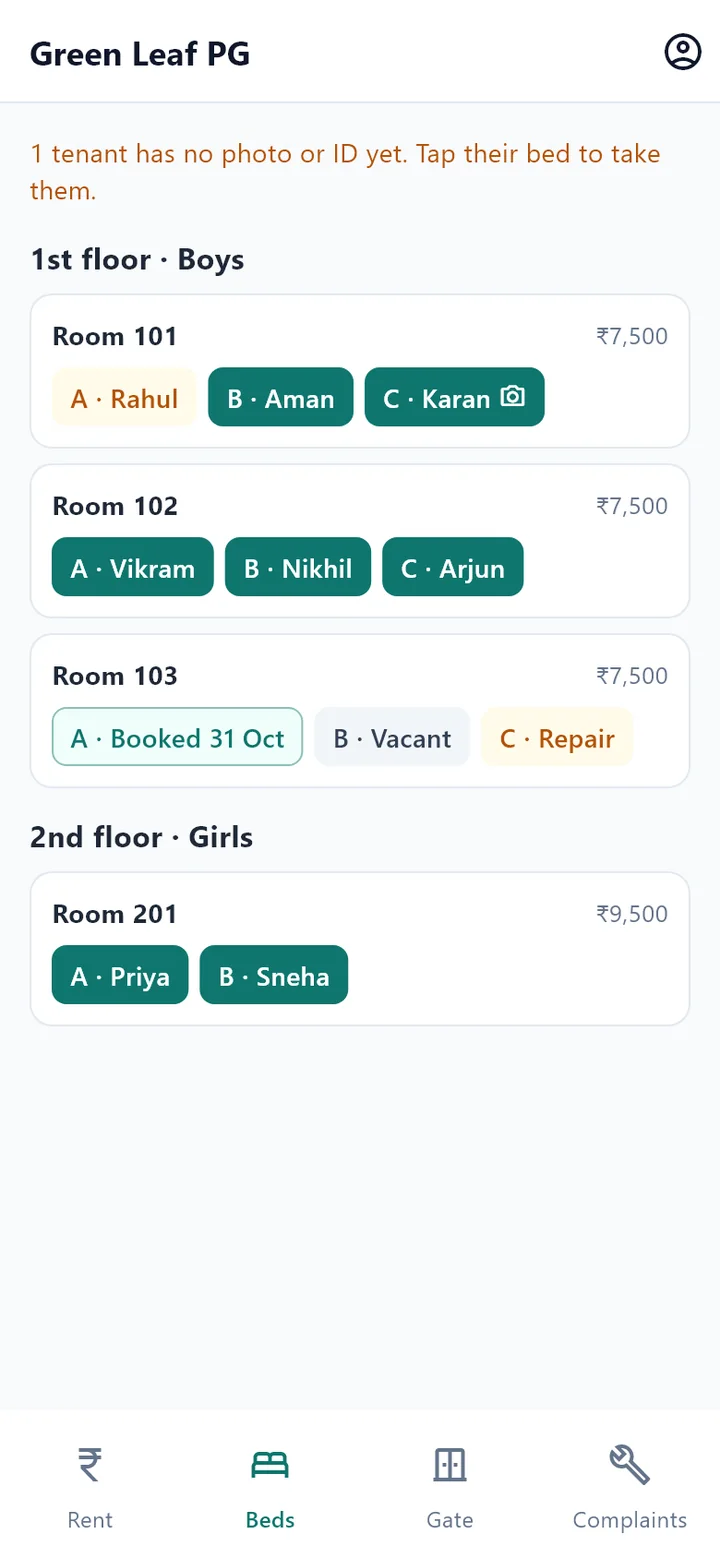
Occupied, vacant, booked, leaving soon or under repair: each bed shows its state by floor and room, so you always know what you can offer.
- Rooms by floor, for boys, girls or both, with any sharing
- Book a bed ahead with a token, even one that’s being vacated
- Weekly, monthly, term or yearly stays, with lock-in if you want it

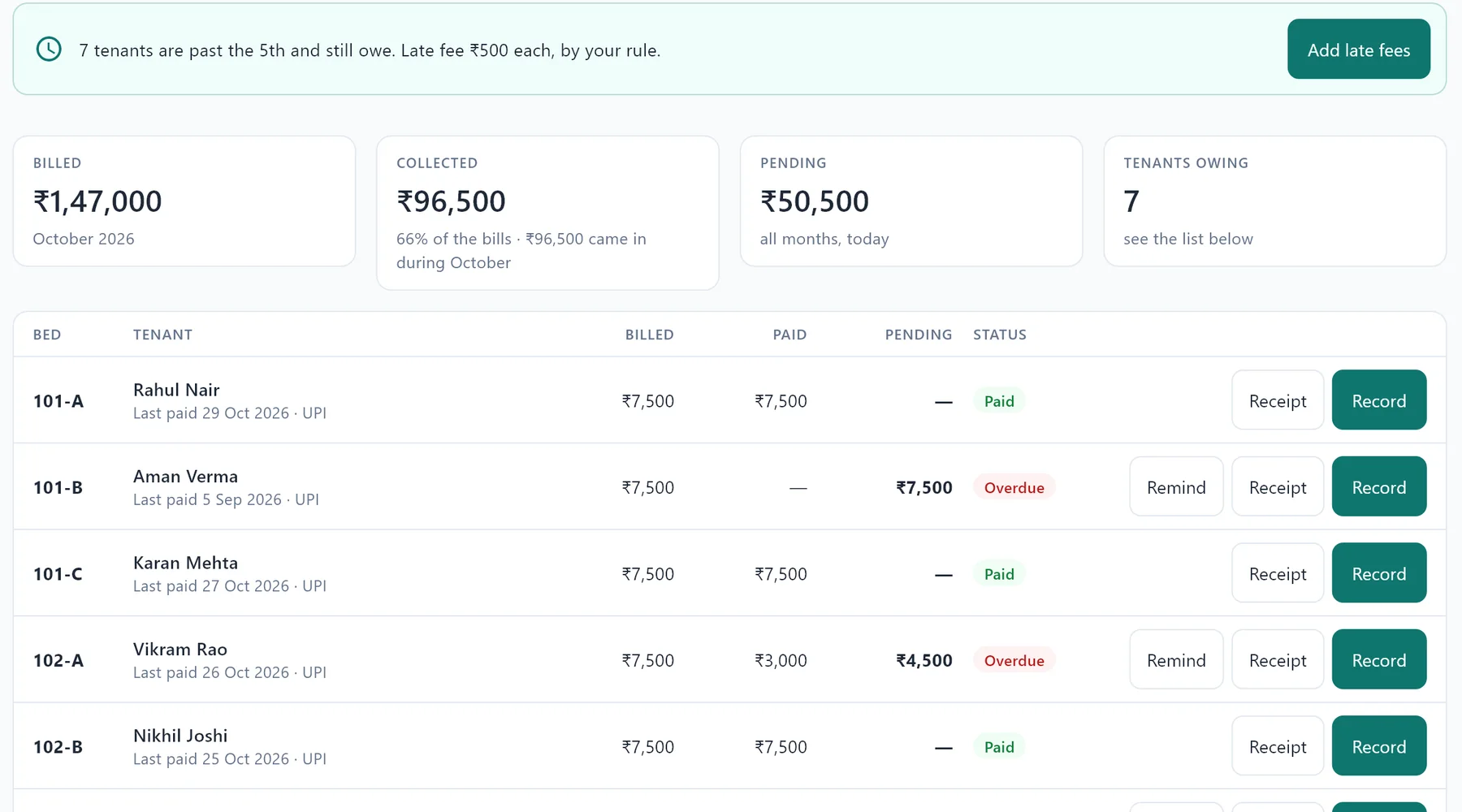
Rent management: dues and receipts without the chase
Nivaas makes each month’s bills, shows who has paid and who hasn’t, and adds late fees by your own rule. One click sends reminders on WhatsApp.
- UPI QR code on every bill, receipts printed or shared
- Deposits, refunds and move-out settlements worked out for you
- Food, Wi-Fi and electricity by room meter, added to the bill
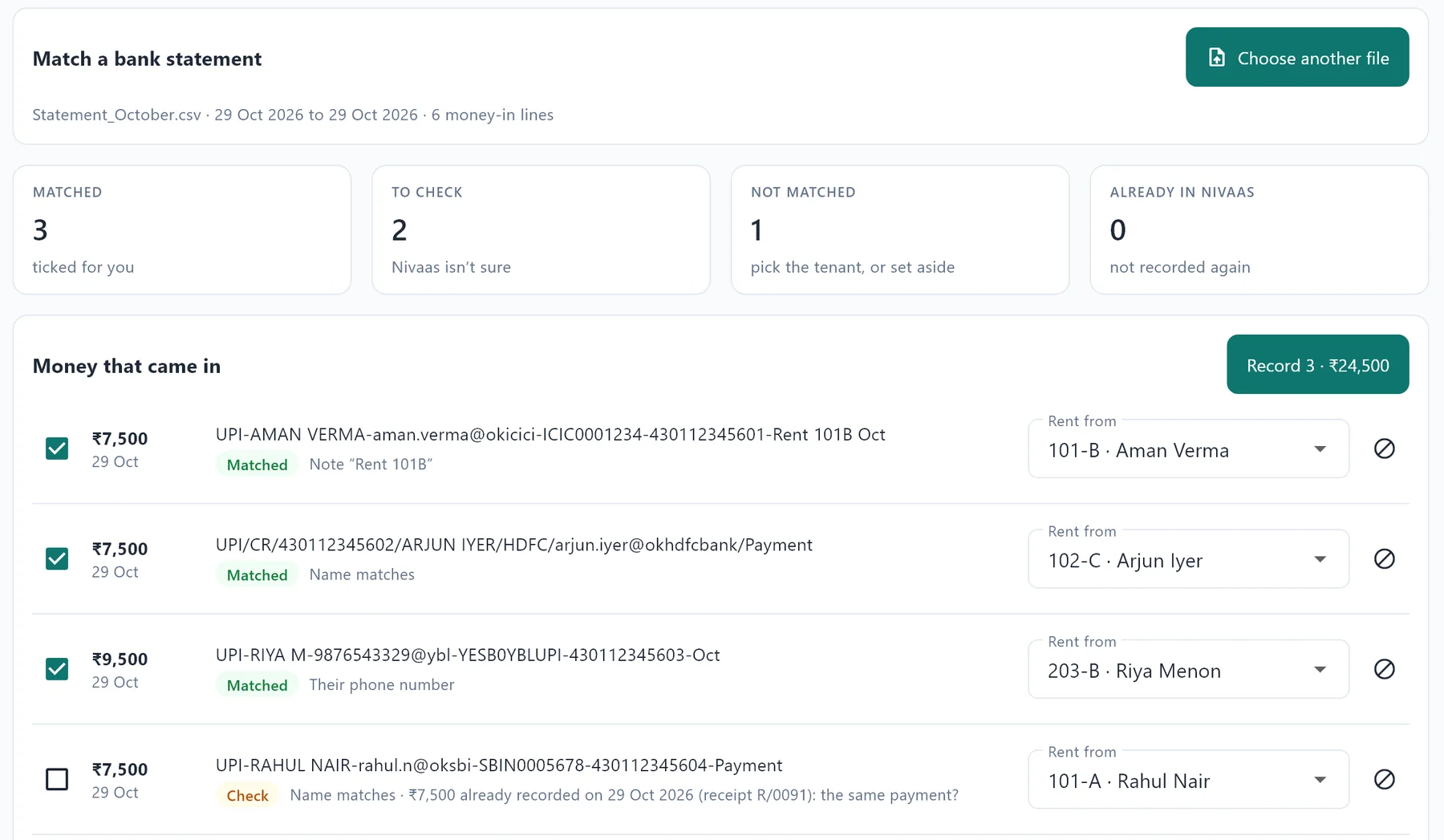
A month of UPI payments, matched in a minute
Download the statement from your net banking and open it in Nivaas. It works out whose rent each payment is, from the note on the payment, the tenant’s UPI ID, phone number or name, and records them all with receipts.
- Sure matches ticked for you; the doubtful ones shown with the reason
- A payment already recorded is never recorded twice
- Every UPI QR code from Nivaas puts “Rent 101A Oct” in the payment, so it matches by itself
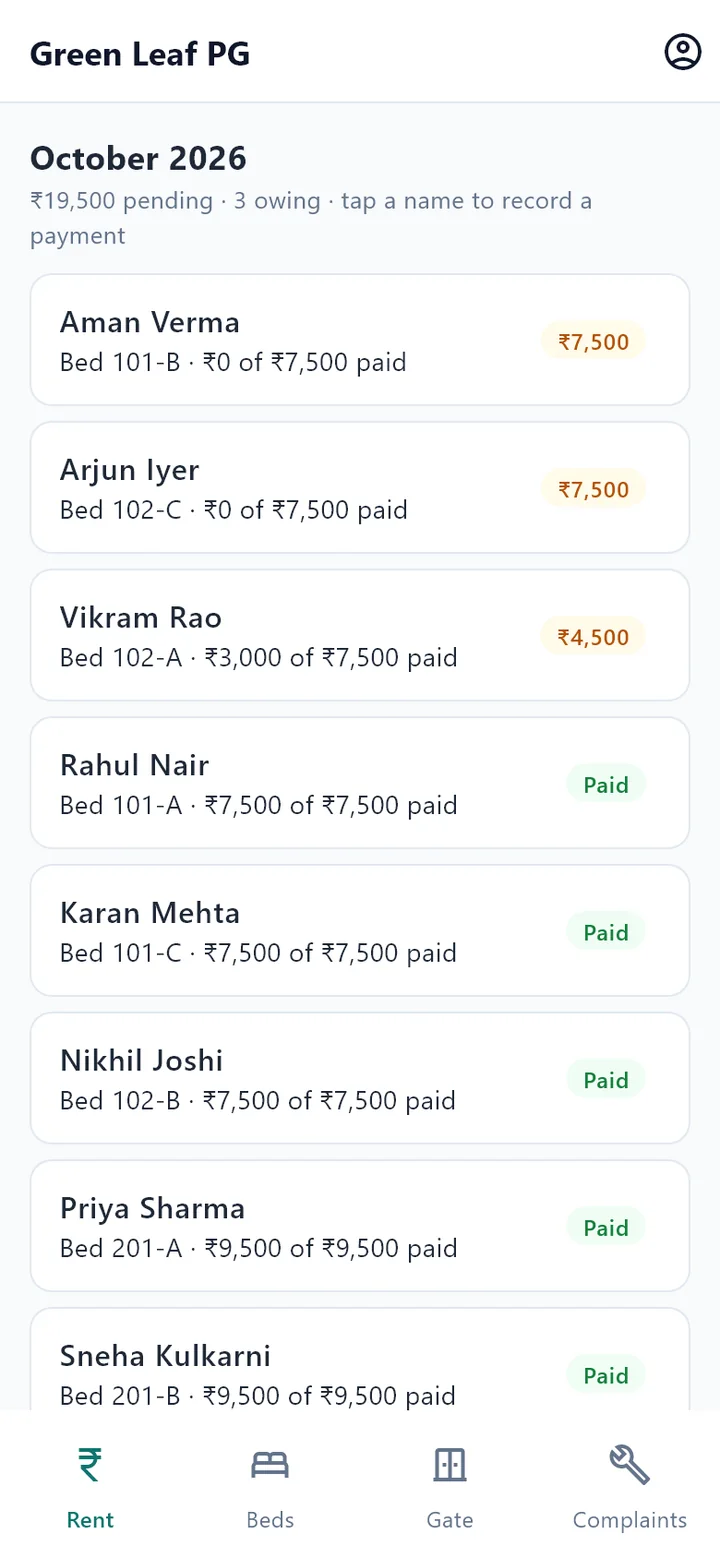
Your warden works from the phone
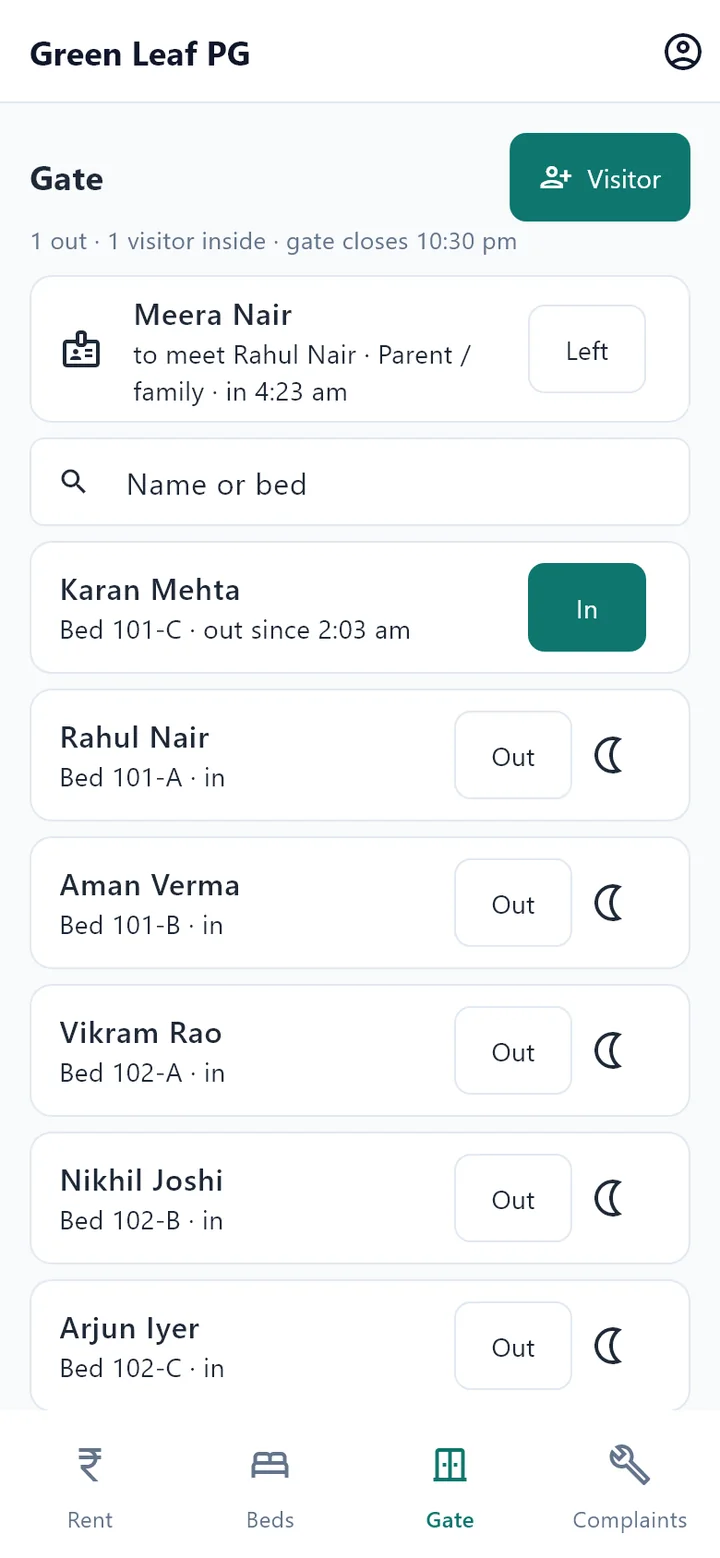
The Nivaas phone app connects to your PC over the PG’s own Wi-Fi. Your warden records rent, runs the gate register and logs complaints, and you see it all on the PC straight away.
- Record rent, take tenant photos and ID copies with the camera
- Gate register: who’s out, who’s late, and every visitor
- Each person signs in with their own PIN and sees only their work
Tenants pay rent by UPI from their own phone
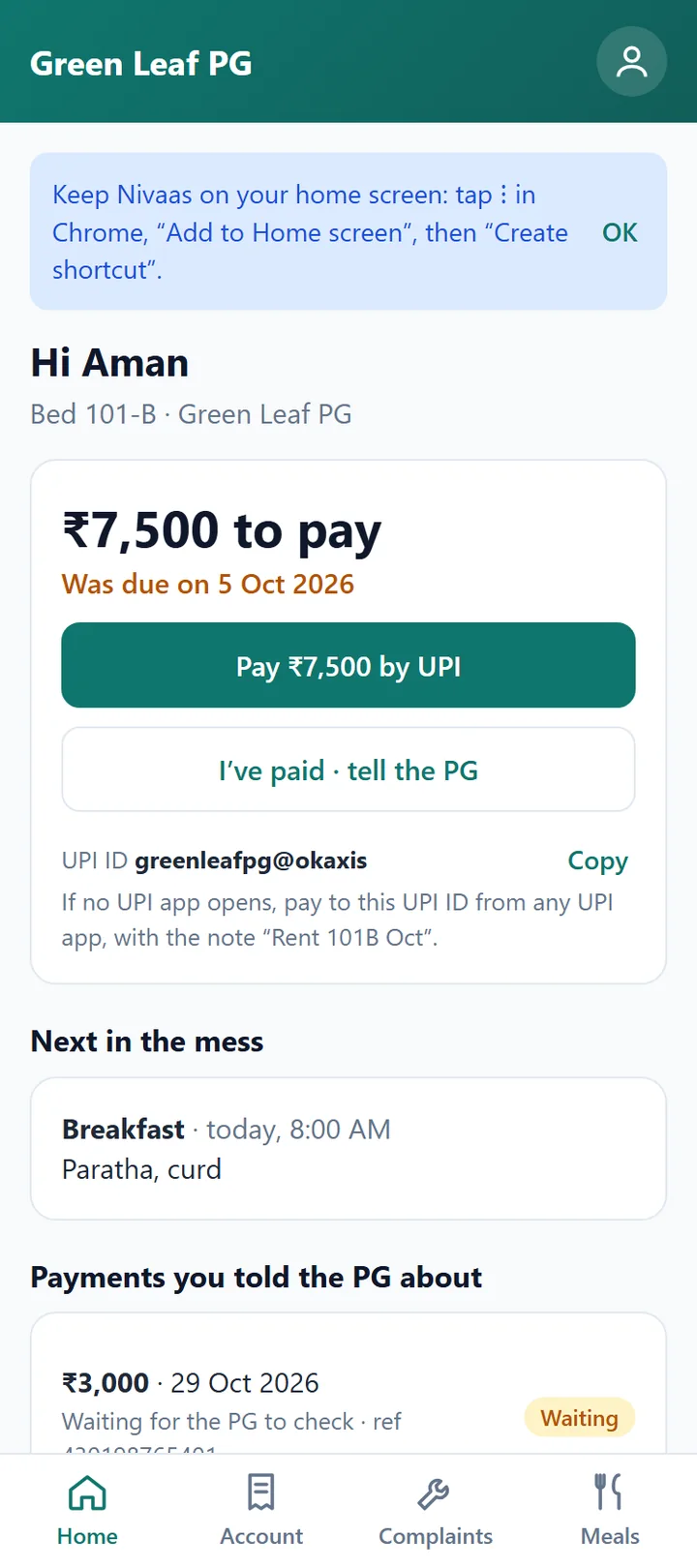
Each tenant scans their own QR code once. Nivaas opens in their phone’s browser, Android or iPhone, with nothing to install. They see what they owe and pay in two taps, and you confirm it arrived.
- Pay by UPI with the amount and the “Rent 101A Oct” note filled in
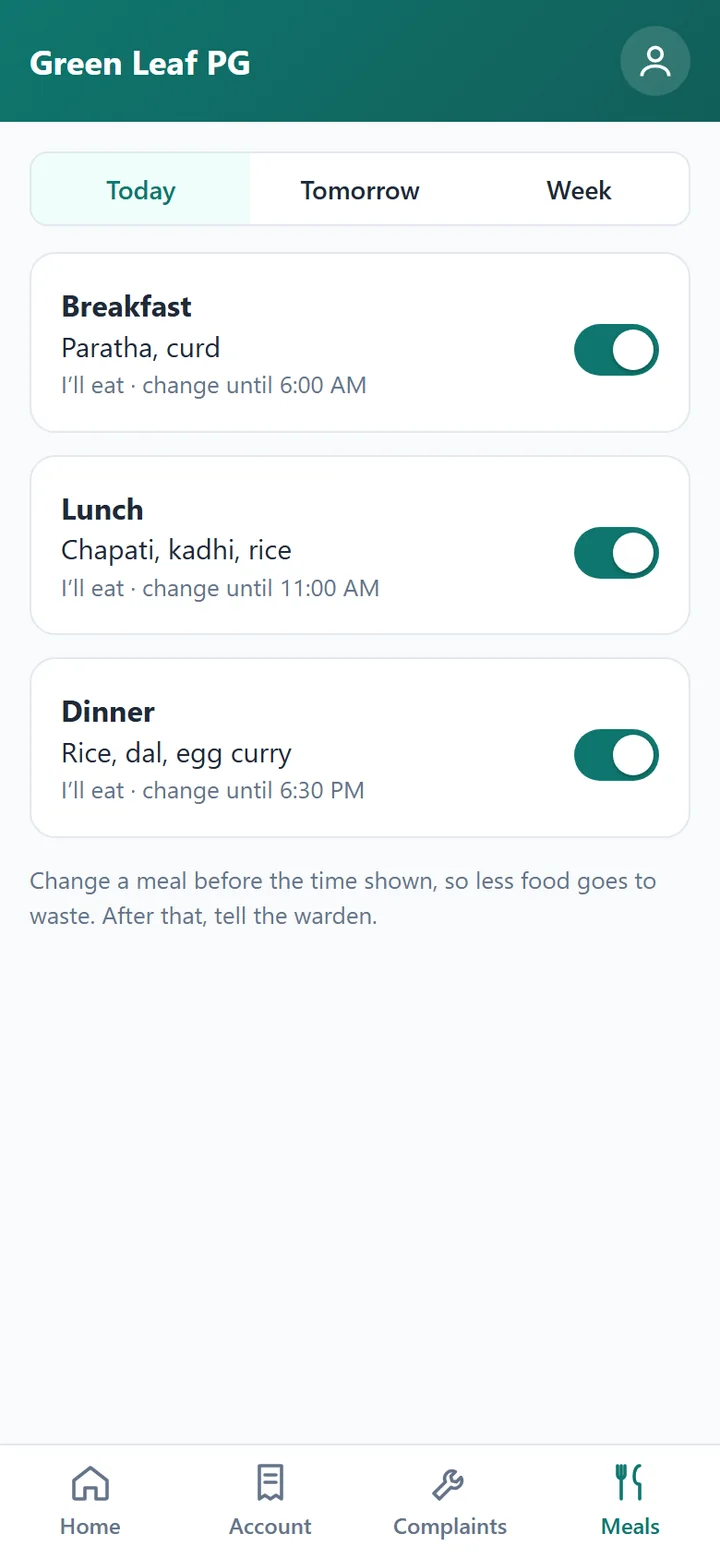
- Their rent account, complaints, the mess menu and meals they won’t eat
- Works on your PG’s own Wi-Fi: nothing about your tenants goes on the internet
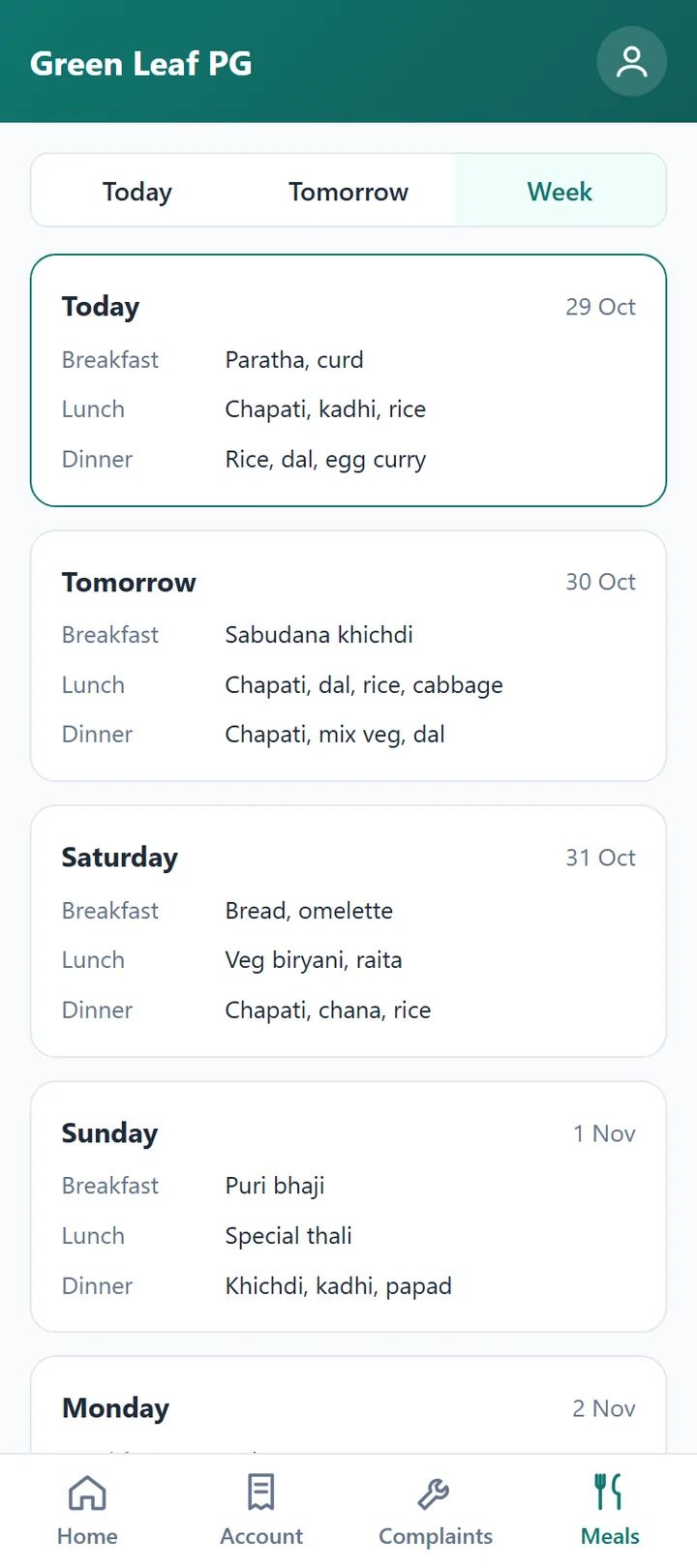
In Marathi, Hindi or English: each person picks their own
Your warden can run the PG in Marathi while you check the accounts in English. Every screen, button and message changes with one tap, on the PC, the warden’s phone and the tenant app, and Nivaas remembers each person’s choice.
- On the PC, each staff member signs in to their own language
- The warden’s phone and each tenant’s phone, in the language they choose
- Names and notes stay just as you type them
- Printed receipts, bills and forms stay in English
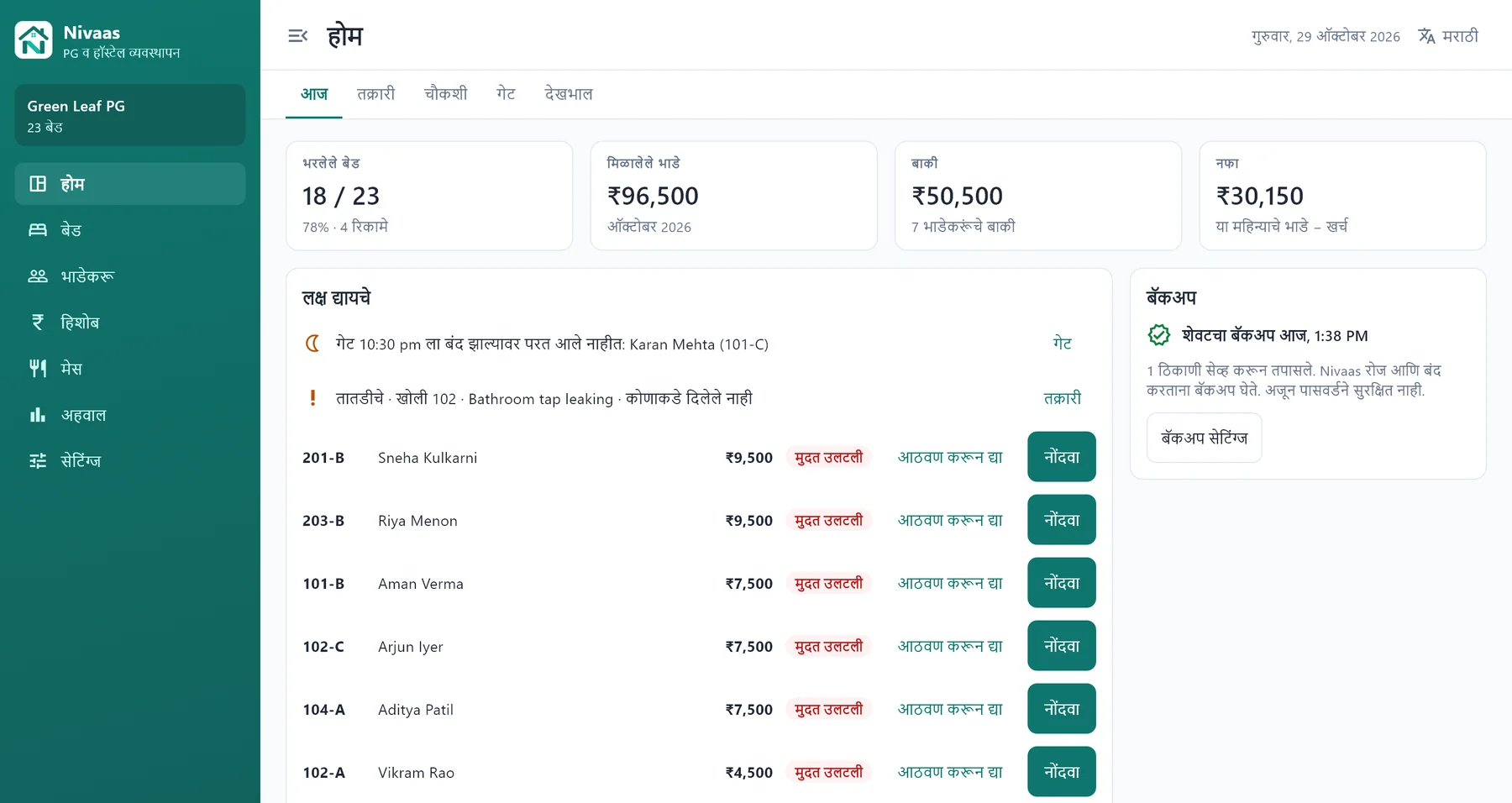
Cook for the right number, at every meal
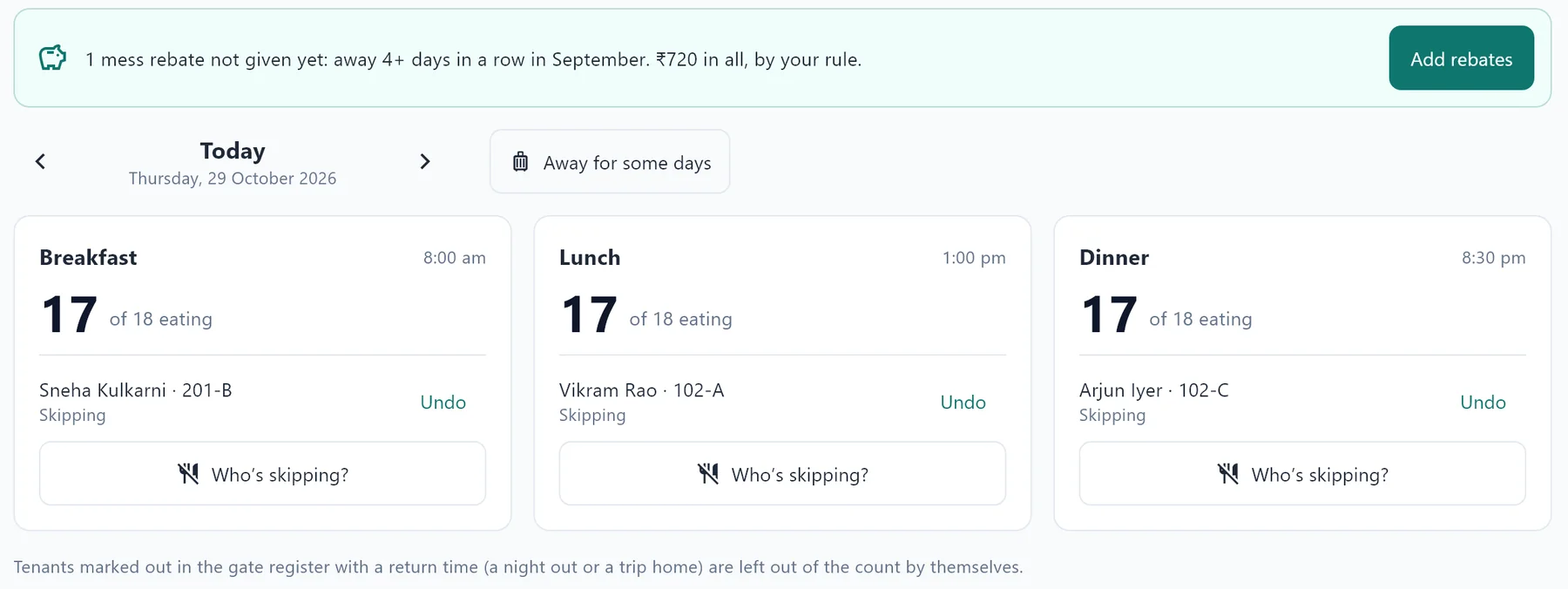
Nivaas counts who eats each meal: tenants who skip, those out in the gate register and those away on a trip are taken off by themselves. The cook sees the number, and you see what each plate costs.
- Weekly menu, meal changes until a time you set, rebates for days away by your rule
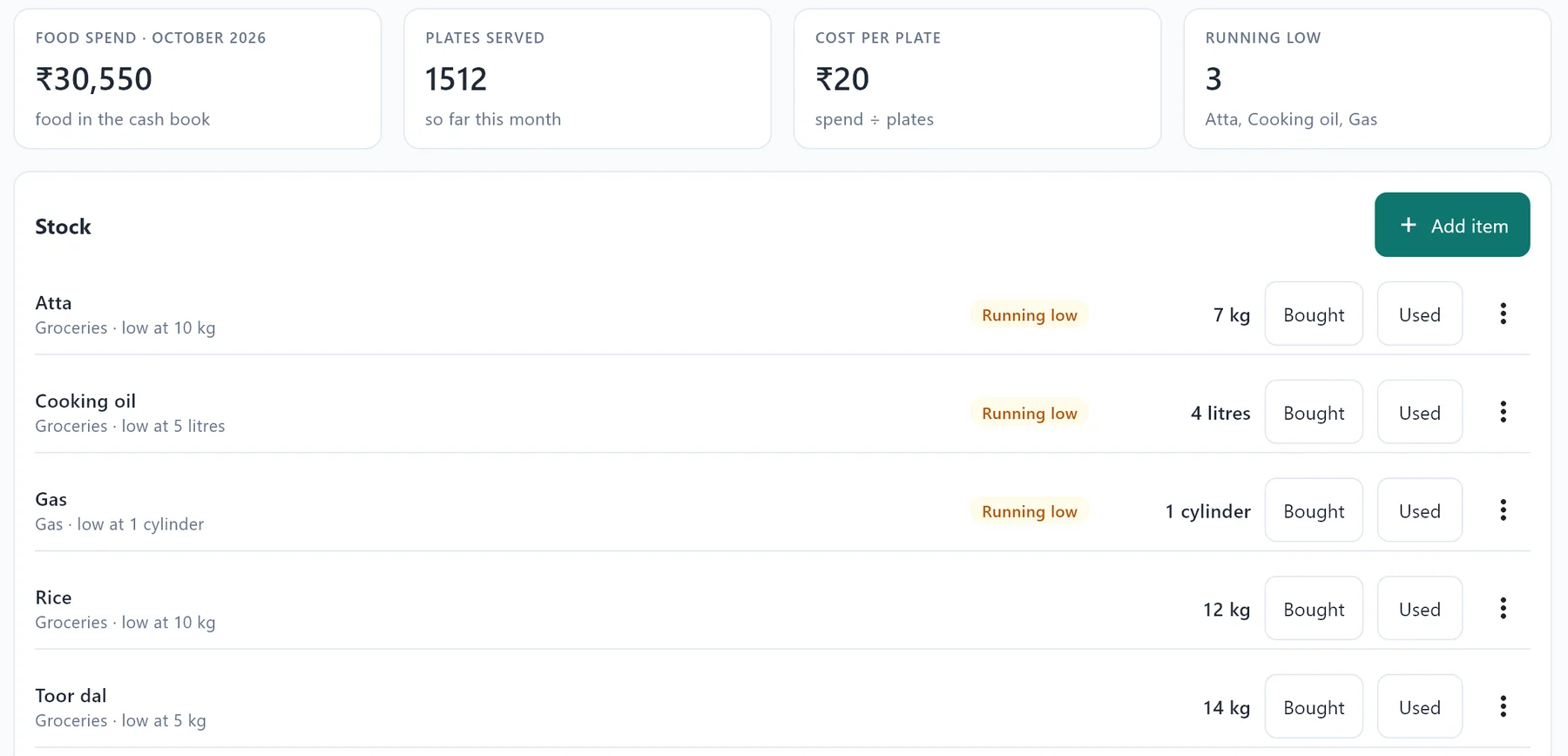
- Kitchen stock with “running low” alerts; purchases go straight into the cash book
- Mess report: plates by day, meals by tenant, cost per plate and mess profit
Tenant management: registration and police verification, done properly
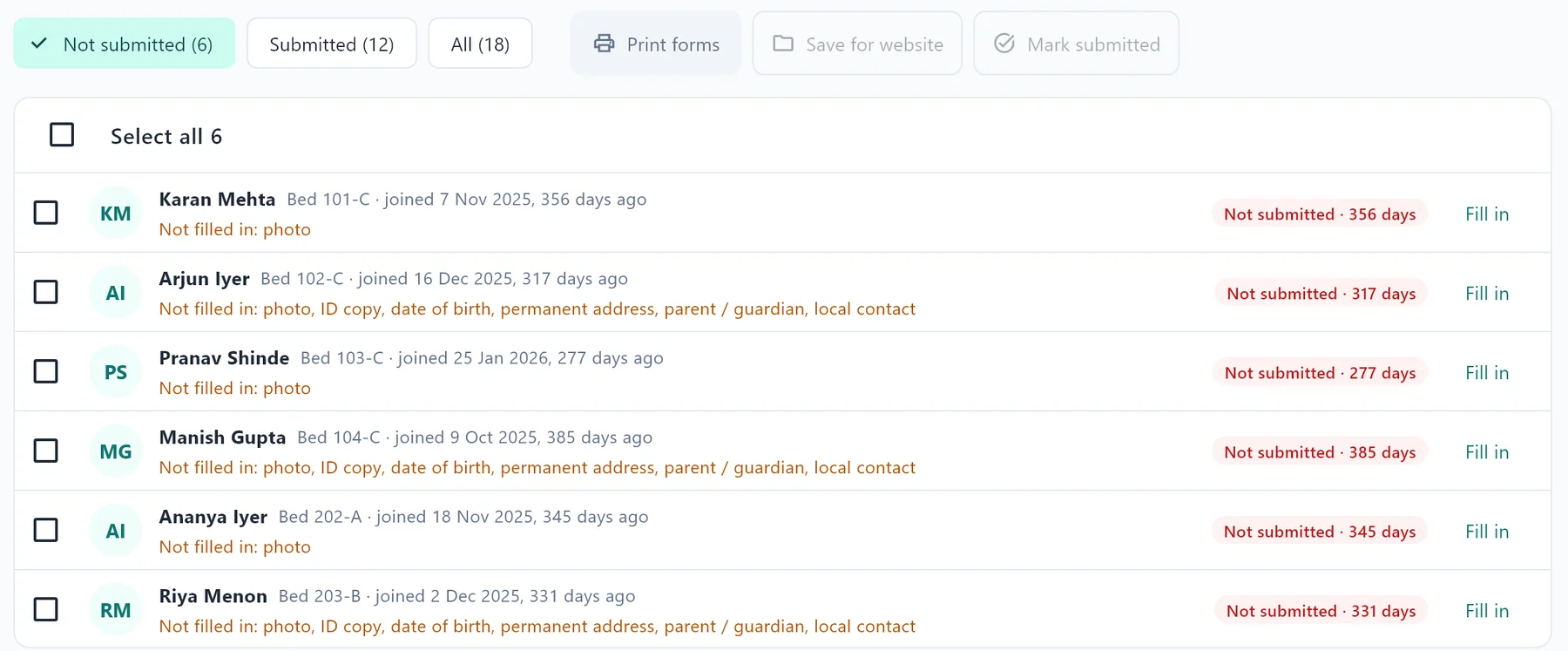
Register a tenant in minutes, with their photo and ID scanned or taken on the phone. Nivaas prints the registration form, house rules and agreement, and reminds you before agreements end.
- Police verification forms, printed or saved ready for the police website
- See which tenants are not reported yet, and what’s still missing
- Bring your existing tenant list in from Excel
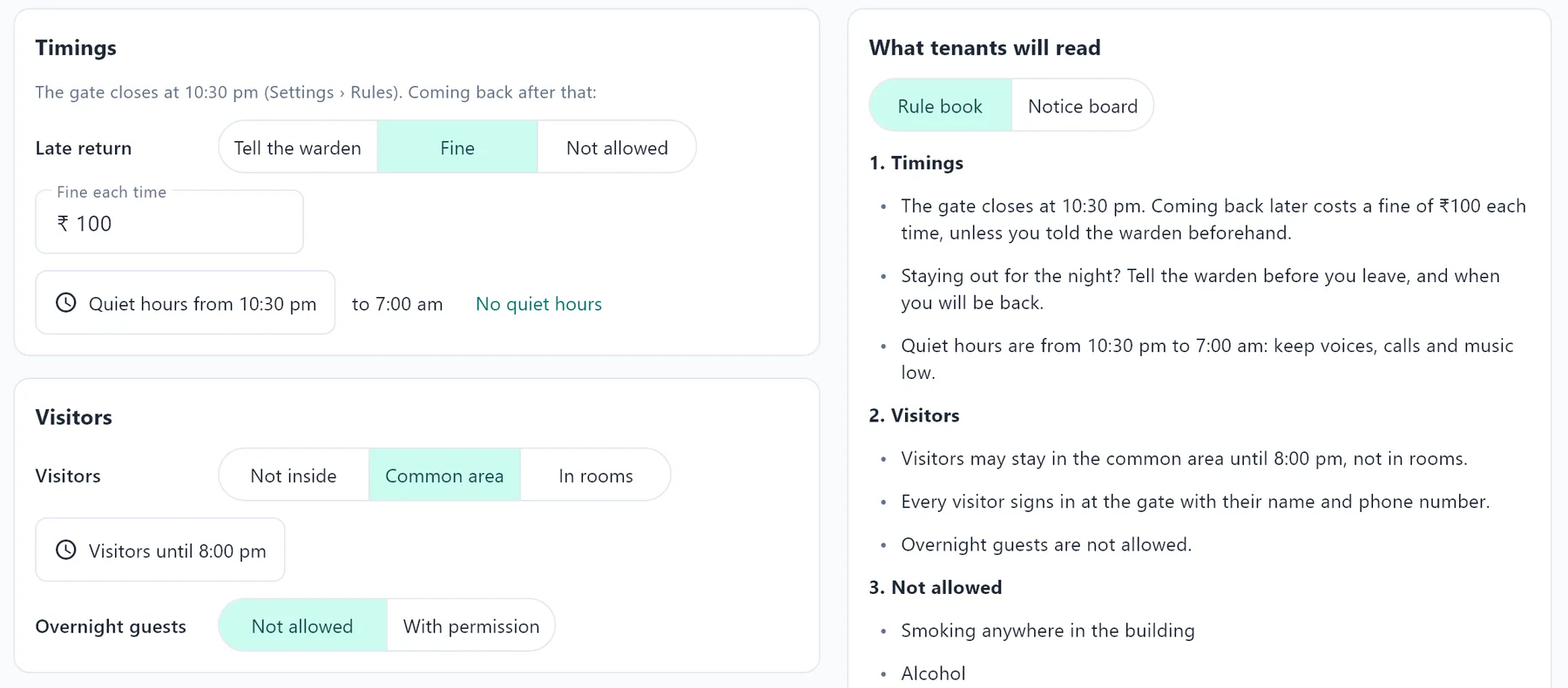
A house rules book, written for your PG
Answer a few questions: gate time, visitors, what’s not allowed, cleaning, and what happens when a rule is broken. Nivaas writes clear house rules from your answers and from your rent, deposit and notice terms, so the two always match.
- Signed by each tenant, in their registration pack
- A large-type poster for the notice board
- On every tenant’s phone, in the tenant app
- Add your own rules, and change them any time
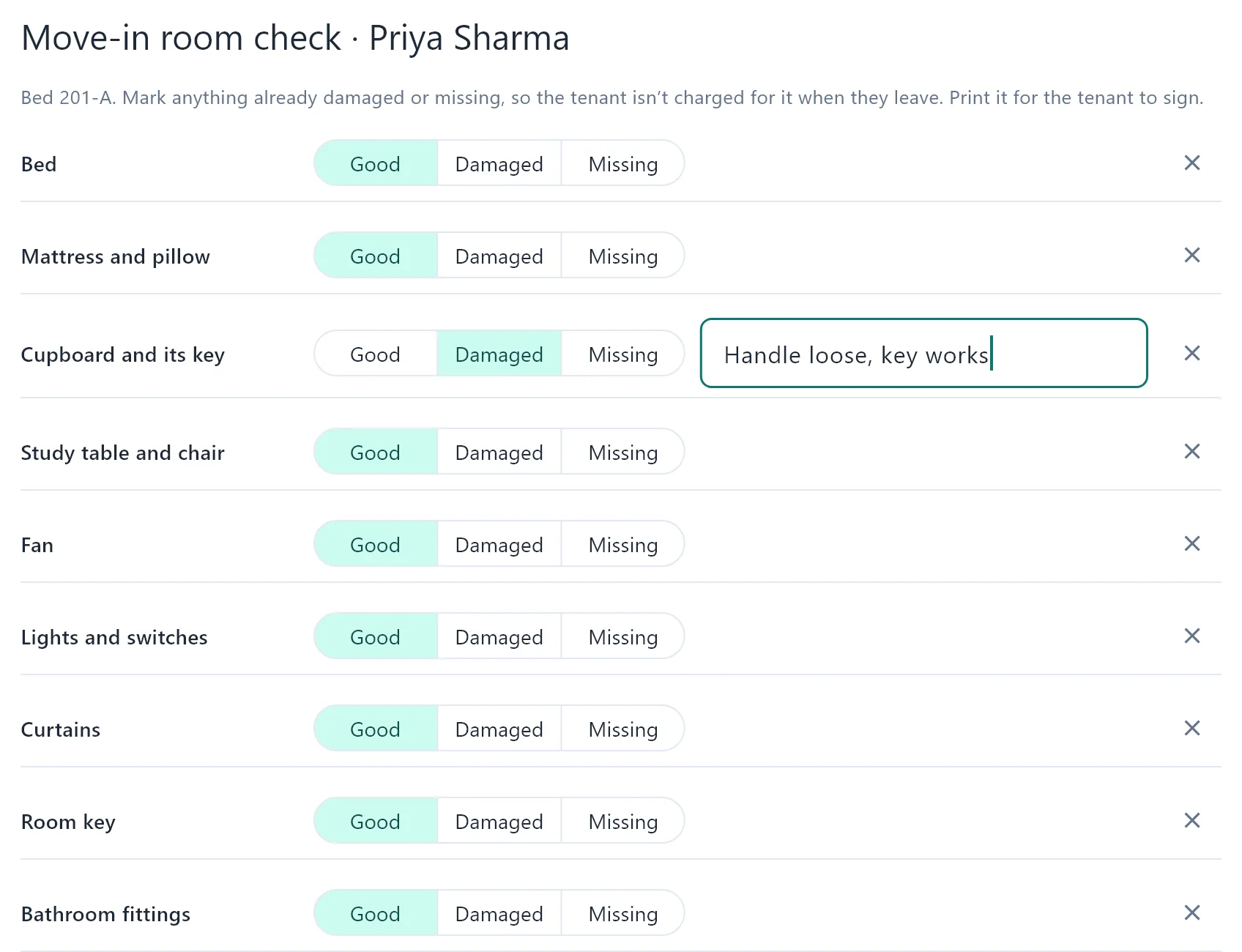
No more deposit fights
When a tenant moves in, mark each item in the room as good, damaged or missing, with photos, and get it signed. When they leave, Nivaas holds the room against that check: only what is newly damaged or missing is charged, and the charge goes straight into the move-out settlement.
- Your own list of items, with photos from the PC or the warden’s phone
- Signed at move-in, as part of the registration pack
- Damages, short notice and dues come off the deposit; anything more stays on their account
- Tenants see their move-in check in the tenant app
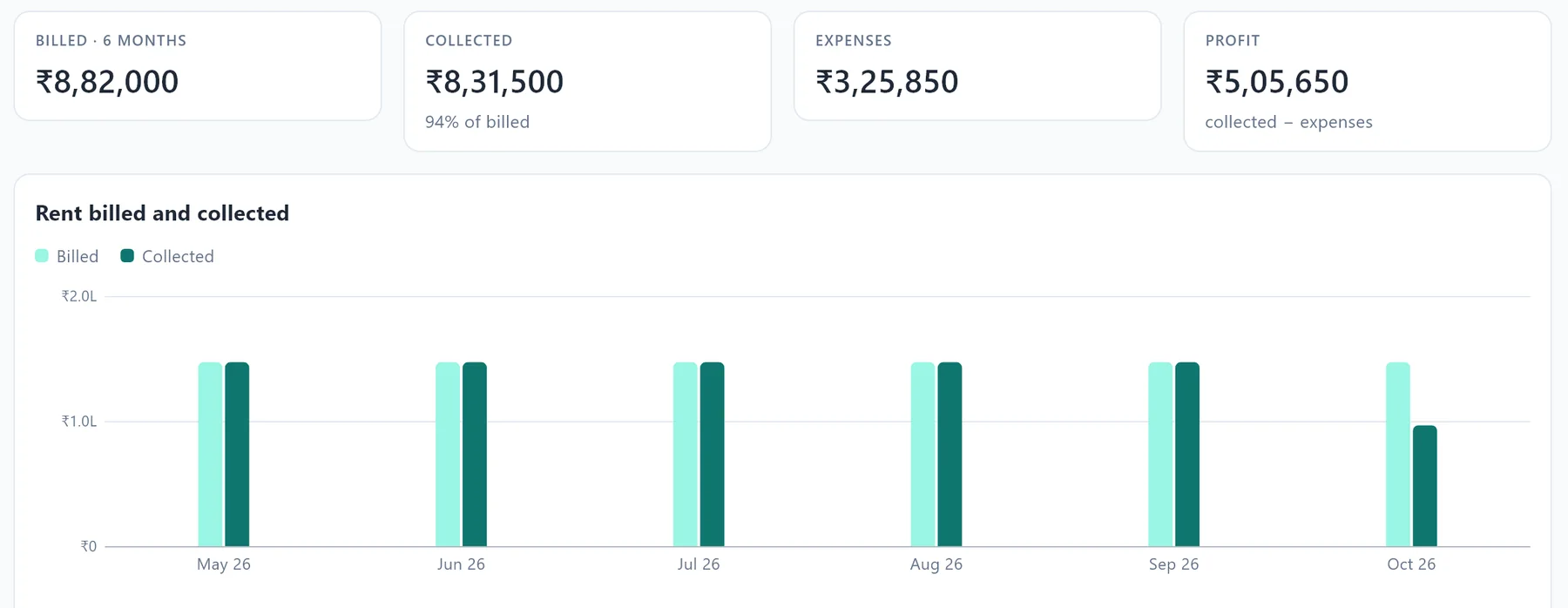
Know how your PG is really doing
Rent billed and collected, expenses and profit month by month, occupancy and dues, all worked out from your daily entries.
- Cash book with expenses by category, including your own
- HRA rent receipts for tenants, for each financial year
- Export to Excel for your accountant
Post your vacant beds in one tap, and collect Google reviews
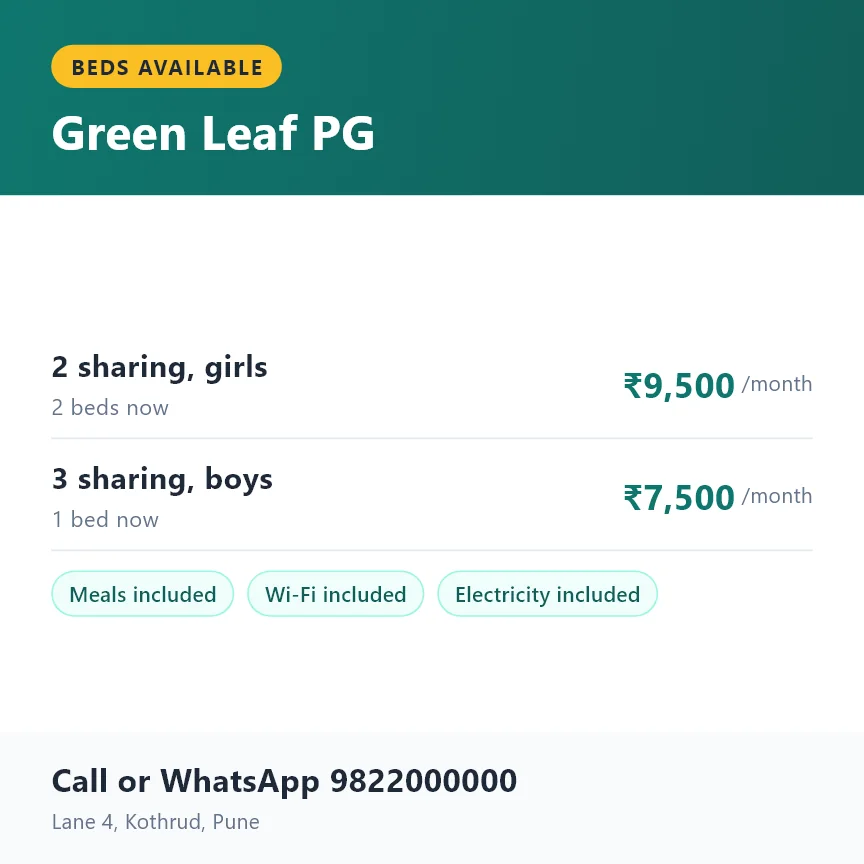
Nivaas makes a picture of your free beds, with rent, what’s included and your number, ready for WhatsApp groups, Status and Instagram. Beds coming free this month show with their date, so you can fill them before they are empty.
- The same as a message, to paste anywhere
- Tenants who have stayed a month are asked for a Google review on WhatsApp
- A review QR code to print for your notice board
Also included
The everyday details, taken care of
Enquiries Follow-ups and the beds that suit each one
Complaints Logged, assigned and closed with cost
Notice and move-out Notice periods, refunds and settlements
Agreements 11-month agreements and renewal reminders
Electricity Room meter readings, billed per tenant
Notice board Print notices and message all tenants
Gate register Night outs, late returns and visitors
Activity log Who changed what, kept as long as you choose
Daily backups Locked with your password, checked every time
See it with your own PG
Book a free demo. We’ll show you every part with your rooms and your rent. See pricing
WhatsApp: +91 00000 00000 · Email: hello@example.com